A video clip for Samsung ST50 digital camera is here under 'Smart Auto' concept.
For more information, please click: http://en.segadget.com/entry/m0094
Showing posts with label blu Blue ray disk record player it digital av audio video. Show all posts
Showing posts with label blu Blue ray disk record player it digital av audio video. Show all posts
Wednesday, April 8, 2009


Sunday, March 8, 2009
Product Review: Samsung Mobile Beam Projector, MBP200
When I saw MBP200 that Samsung recently developed, I was so surprised. MBP200 was too small to believe that it was a beam projector. I have never seen such a small but powerful and convenient projector. I think MBP200 would be the world smallest handheld beam projector.
Even there are more features that made me surprised. MBP200 has also the functionalities of MP3 players, DivX players, DMB players, and file viewer.
Let’s discover the mobile beam projector, MBP200.
Package

The carton box was made of hard board and looked valuable.


As you can see, the screen is much larger than the 52” LCD TV. The manual says that the maximum screen side is 50”. However, making it larger did not hurt my eyes. The focus button helped me to adjust the screen view.

Even there are more features that made me surprised. MBP200 has also the functionalities of MP3 players, DivX players, DMB players, and file viewer.
Let’s discover the mobile beam projector, MBP200.
Package

The carton box was made of hard board and looked valuable.

There are many necessary components in the pages.
They are the beam projector, two battery packs, charger, external memory card (microSD card), screen stand, DMB stand, stereo earphone, VGA multi adapter cable, USB data cable, A/V cable, portable pouch, and user’s guide.
They are the beam projector, two battery packs, charger, external memory card (microSD card), screen stand, DMB stand, stereo earphone, VGA multi adapter cable, USB data cable, A/V cable, portable pouch, and user’s guide.
Screen Display
To compare with my 52” LCD TV, I placed MBP200 to view the screen on the wall next to it.
To compare with my 52” LCD TV, I placed MBP200 to view the screen on the wall next to it.

As you can see, the screen is much larger than the 52” LCD TV. The manual says that the maximum screen side is 50”. However, making it larger did not hurt my eyes. The focus button helped me to adjust the screen view.

The distance between the wall and MBP200 is about 10 feet. The more distance apart the larger view area you can get.
Appearance
I took some pictures in various views.

Appearance
I took some pictures in various views.

MBP200 is on my hand. You can see how small the projector is.
 I compared it with a normal ball point pen. MBP200 is much smaller than a pen.
 The left side shows the slide button for the power on/off and hold keys.

 I compared it with a normal ball point pen. MBP200 is much smaller than a pen.
 The left side shows the slide button for the power on/off and hold keys.
On the front side, there are the microSD card slot, earphone jack and the slide button for adjusting focus.


The right side has the DLP lens that shoots the display.

The back side has the USB/Data slot, built-in speaker and the DMB antenna.


The top side is composed of the TFT LCD screen and touch pad and click buttons on the bottom.


The bottom side has only the battery cover to replace battery.
Screen Stand
Do you know what this is?
Do you know what this is?

This is the portable screen that we can get anytime anywhere. The screen is just a letter size paper that we use for printing. Using the screen stand, I attached a letter size paper to the stand so that I can easily watch the projector views.


This is the view when the letter size paper has removed from the screen stand. The view displays on the wall behind the screen stand.
Presentation
MBP200 support various file formats. The supported documents are Adobe PDF (pdf: 1.2 ~ 1.7), MS Power Point (ppt, pptx: 95 ~ 2007), MS Word (doc, docs: 97 ~ 2007), MS Excel (xls, xlsx: 95 ~ 2007), Text (txt, asc), Web Pages (html, htm, mHtml), Windows Meta Format (emf, wmf), Handgul Word Perfect (hwp: 97 ~ 3.0, 2002 ~ 2007).
MBP200 support various file formats. The supported documents are Adobe PDF (pdf: 1.2 ~ 1.7), MS Power Point (ppt, pptx: 95 ~ 2007), MS Word (doc, docs: 97 ~ 2007), MS Excel (xls, xlsx: 95 ~ 2007), Text (txt, asc), Web Pages (html, htm, mHtml), Windows Meta Format (emf, wmf), Handgul Word Perfect (hwp: 97 ~ 3.0, 2002 ~ 2007).

Video
Since MBP200 is a beam projector, not only presentation files but also video files can be played. MB200 works like a PMP (Portable Multimedia Player) device. The supported video formats are AVI, ASF, MPG, MP4, WMV, and SVI. The video CODECs are MPEG-1/2/4, DivX, Xvid (720x480), WMV9, and H.264 (640x480). Audio CODECs are MP3, WMA and AC3. The Caption format is SMI. The frame rate is 30 fps.


The “Main Menu” is composed of Music, Video, DMB, File Viewer, Setting and Projector.
Using the “Projector” menu, the view screen can be changed from the LCD screen to the beam projector or vice versa. Also, MBP200 can be connected to a cell phone that supports TV-Out feature, or a laptop/PC to watch through a large screen.
Samsung made the user interface so simple and easy to navigate.
Music
Samsung has released so many MP3 players in the world market. MBP200 has also the MP3 player features. The supported music files are MP3, WMA, OGG, and AAC. The audio CODECs are MP3, WMA, EAAC+, OGG, AC3, WAV, and BASC. Channels are stereo when using earphones, and mono when using the built-in speaker.

DMB
DMB stands for Digital Multimedia Broadcasting. DMB is available in Korea and some countries. MBP200 supports terrestrial DMB so that TV channels and digital radio can be played when the service is available.

MBP200 can be a portable TV. Just stretch out the antenna and turn on the DMB feature.
Specifications
General Specification
- Model Name: Mobile Beam Projector (MBP 200)
- Memory: 200MB Built-in
microSD card: Up to 2GB, microSDHC: ~16GB
(Some memory cards may not be supported due to the characteristics of memory cards)
- LCD Size: 2.2"
- LCD Resolution: QVGA(320*240)
- LDT Type: TFT LCD
- Color: Black
- Battery Type: Li-Ion 1480mAh
- Mobile TV: Terrestrial DMB
- A/V Input: D-Sub(VGA), Composite(NTSC) with Stereo Audio
- Projection: 5~50" HVGA(480*320)
- Supported Files:
Music
- Audio : MP3, WMA, OGG, AAC
- Audio Codec : MP3, WMA, EAAC+, OGG, AC3, WAV, BASC
- Channel : Stereo
- Equalizer : 5Bands (Rock, Live, Dance, Pop, Club)
- Built-in Speaker : 1W Mono
Movies
- Video Files : AVI, ASF, MPG, MP4, WNV, SVI
- Video Codec : MPEG-1/2/4, DivX, Xvid(720x480), WMV9, H.264(640x480)
- Audio Codec : MP3, WMA, AC3
- Caption File : SMI
- Frame Rate : 30fps
Pictures
- BMP, JPG, JPEG, PNG, GIF, WBMP, TIFF, TIF
Documents
- MS Word(doc, docx) / 97 ~ 2007
- Hangul Word Perfect(hwp) / 97~3.0, 2002~2007
- Adobe PDF(pdf) / 1.2 ~ 1.7)
- MS PowerPoint(ppt. pptx) / 97~2007
- MS Excel(xls, xlsx) / 95 ~ 2007
- Web Pages(html, htm, mHtml)
- Text (txt. Asc)
- Windows Meta Format(emf, wmf)
Since MBP200 is a beam projector, not only presentation files but also video files can be played. MB200 works like a PMP (Portable Multimedia Player) device. The supported video formats are AVI, ASF, MPG, MP4, WMV, and SVI. The video CODECs are MPEG-1/2/4, DivX, Xvid (720x480), WMV9, and H.264 (640x480). Audio CODECs are MP3, WMA and AC3. The Caption format is SMI. The frame rate is 30 fps.

Pictures
The supported picture formats are BM, JPG, JPEG, PNG, GIF, WBMP, TIFF, and TIF.
Using the “File Viewer” menu, pictures and document files stored in the memory can be displayed through the LCD screen or beam projector.
The supported picture formats are BM, JPG, JPEG, PNG, GIF, WBMP, TIFF, and TIF.
Using the “File Viewer” menu, pictures and document files stored in the memory can be displayed through the LCD screen or beam projector.
Main Menu

The “Main Menu” is composed of Music, Video, DMB, File Viewer, Setting and Projector.
Using the “Projector” menu, the view screen can be changed from the LCD screen to the beam projector or vice versa. Also, MBP200 can be connected to a cell phone that supports TV-Out feature, or a laptop/PC to watch through a large screen.
Samsung made the user interface so simple and easy to navigate.
Music
Samsung has released so many MP3 players in the world market. MBP200 has also the MP3 player features. The supported music files are MP3, WMA, OGG, and AAC. The audio CODECs are MP3, WMA, EAAC+, OGG, AC3, WAV, and BASC. Channels are stereo when using earphones, and mono when using the built-in speaker.

DMB
DMB stands for Digital Multimedia Broadcasting. DMB is available in Korea and some countries. MBP200 supports terrestrial DMB so that TV channels and digital radio can be played when the service is available.

MBP200 can be a portable TV. Just stretch out the antenna and turn on the DMB feature.
Specifications
General Specification
- Model Name: Mobile Beam Projector (MBP 200)
- Memory: 200MB Built-in
microSD card: Up to 2GB, microSDHC: ~16GB
(Some memory cards may not be supported due to the characteristics of memory cards)
- LCD Size: 2.2"
- LCD Resolution: QVGA(320*240)
- LDT Type: TFT LCD
- Color: Black
- Battery Type: Li-Ion 1480mAh
- Mobile TV: Terrestrial DMB
- A/V Input: D-Sub(VGA), Composite(NTSC) with Stereo Audio
- Projection: 5~50" HVGA(480*320)
- Supported Files:
Music
- Audio : MP3, WMA, OGG, AAC
- Audio Codec : MP3, WMA, EAAC+, OGG, AC3, WAV, BASC
- Channel : Stereo
- Equalizer : 5Bands (Rock, Live, Dance, Pop, Club)
- Built-in Speaker : 1W Mono
Movies
- Video Files : AVI, ASF, MPG, MP4, WNV, SVI
- Video Codec : MPEG-1/2/4, DivX, Xvid(720x480), WMV9, H.264(640x480)
- Audio Codec : MP3, WMA, AC3
- Caption File : SMI
- Frame Rate : 30fps
Pictures
- BMP, JPG, JPEG, PNG, GIF, WBMP, TIFF, TIF
Documents
- MS Word(doc, docx) / 97 ~ 2007
- Hangul Word Perfect(hwp) / 97~3.0, 2002~2007
- Adobe PDF(pdf) / 1.2 ~ 1.7)
- MS PowerPoint(ppt. pptx) / 97~2007
- MS Excel(xls, xlsx) / 95 ~ 2007
- Web Pages(html, htm, mHtml)
- Text (txt. Asc)
- Windows Meta Format(emf, wmf)
- Speaker Output: 1W Mono Speaker
- Earphone Output: 70mW 3.5Φ Stereo Earphone Jack
- Output Frequency Range: 20 Hz ~ 20 KHz
- Playback Time:
- Earphone Output: 70mW 3.5Φ Stereo Earphone Jack
- Output Frequency Range: 20 Hz ~ 20 KHz
- Playback Time:
Music: 11 hours
Movie: 6 hours
DMB: 6 hours
Projector: 1 hour and 20 minutes with one battery pack (2 hours and 40 minutes with the provided two battery packs)
- Temperature: -10 ~ 40 ‘C
- Weight: 160 gram
- Dimension: 107.3 x 48.8 x 19 mm
The Projector Distance (cm) and the Screen Size (W x H in cm)
Movie: 6 hours
DMB: 6 hours
Projector: 1 hour and 20 minutes with one battery pack (2 hours and 40 minutes with the provided two battery packs)
- Temperature: -10 ~ 40 ‘C
- Weight: 160 gram
- Dimension: 107.3 x 48.8 x 19 mm
The Projector Distance (cm) and the Screen Size (W x H in cm)
Distance between projector and screen : Estimated display dimension
- 20 cm : 10.6 cm x 7 cm
- 40 cm: 21.1 cm x 14.1 cm
- 80 cm: 42.3 cm x 28.2 cm
- 150 cm: 79.3 cm x 52.8 cm
- 200 cm: 105.7 cm x 70.4 cm
** As the distance between the projector and the screen gets farther, the brightness becomes darker.
Major Features
- 3D Sound: DNSe
- Image Viewer (Zoom, Slide Show)
- Slide Show
- Photo Viewer
- Phote Zoom In/Out
- Auto Caption Display
- 40 cm: 21.1 cm x 14.1 cm
- 80 cm: 42.3 cm x 28.2 cm
- 150 cm: 79.3 cm x 52.8 cm
- 200 cm: 105.7 cm x 70.4 cm
** As the distance between the projector and the screen gets farther, the brightness becomes darker.
Major Features
- 3D Sound: DNSe
- Image Viewer (Zoom, Slide Show)
- Slide Show
- Photo Viewer
- Phote Zoom In/Out
- Auto Caption Display
Additional Features
- Removable Hard Disk Drive:
Without any USB thum drive, you can use MBP200 as a removable USB disk to upload and download files.
- Firmare
www.yepp.co.kr provides the latest fimware to upgrade the functionality.
- EmoDio
EmoDio is a content management software for the YEPP devices. The latest music, video, moview, language and education contents can be downloaded through EmoDio. (Contents may not be supported depending on the device types)
- EmoDio Auto Lyric Support
Lyric can be displayed while listening music.
- Multi-codec support
Various types of CODECs can be supported. The supported files are specified above.
- File Navigation
Similar to the Windows Explorer, you can navigate the music files easily.
- Library Feature
Using the ID3 Tag in the MP3 files, the file information can be arranged and sorted conveniently in terms of Genre, Singer, Album, Title, etc.
- Multi-Language Support
Various languages can be displayed such as lyrics, titles, etc.
- Playlist
avorite music fiels can be stored in a playlist.
- EmoDio Playlist
Using EmoDio, music files can be stored in a playlist to play in my favor.
- USB2.0
sing USB2.0, data can be tranferred in a fast way.
- Removable Hard Disk Drive:
Without any USB thum drive, you can use MBP200 as a removable USB disk to upload and download files.
- Firmare
www.yepp.co.kr provides the latest fimware to upgrade the functionality.
- EmoDio
EmoDio is a content management software for the YEPP devices. The latest music, video, moview, language and education contents can be downloaded through EmoDio. (Contents may not be supported depending on the device types)
- EmoDio Auto Lyric Support
Lyric can be displayed while listening music.
- Multi-codec support
Various types of CODECs can be supported. The supported files are specified above.
- File Navigation
Similar to the Windows Explorer, you can navigate the music files easily.
- Library Feature
Using the ID3 Tag in the MP3 files, the file information can be arranged and sorted conveniently in terms of Genre, Singer, Album, Title, etc.
- Multi-Language Support
Various languages can be displayed such as lyrics, titles, etc.
- Playlist
avorite music fiels can be stored in a playlist.
- EmoDio Playlist
Using EmoDio, music files can be stored in a playlist to play in my favor.
- USB2.0
sing USB2.0, data can be tranferred in a fast way.
System Requirements
- Pentium 300 MHz or more
- USB 2.0 Port
- Windows 2000/XP/Vista/WMP10
- DirectX 9.0 or more
- 100MB or more hard disk space
- CD-ROM drive (2x or more)
- Display resolution1024X768 or more
Pros and Cons
Pros:
- Compact size and sleek design (high glossy material in black)
- Portable (small and light weight)
- Powerful beam projector (best for 50” display but can make it larger)
- Useful for sales persons to present sales information
- Useful for watching movies with fiancé privately
- Useful for studying lectures in video clips
- Can watch TV channels through DMB
- Can enjoy music
- Can read contents of various file formats including MS Word, PPT, Excel, and PDF
Cons:
- Projector playback time is only 1 hour and 20 minutes with one battery pack. This can be OK since there is a charger, and two battery packs are given that make 2 hours and 40 minutes of total playback time.
- If the LCD is a touch screen, it would be much better to navigate menu.
Conclusions
While reviewing MBP200, I was thinking that I would not need to purchase individual PMP to play video clips, MP3 players to play MP3 files, DMB players to watch DMB TV channels and even a big beam projector to show presentation files.
- Pentium 300 MHz or more
- USB 2.0 Port
- Windows 2000/XP/Vista/WMP10
- DirectX 9.0 or more
- 100MB or more hard disk space
- CD-ROM drive (2x or more)
- Display resolution1024X768 or more
Pros and Cons
Pros:
- Compact size and sleek design (high glossy material in black)
- Portable (small and light weight)
- Powerful beam projector (best for 50” display but can make it larger)
- Useful for sales persons to present sales information
- Useful for watching movies with fiancé privately
- Useful for studying lectures in video clips
- Can watch TV channels through DMB
- Can enjoy music
- Can read contents of various file formats including MS Word, PPT, Excel, and PDF
Cons:
- Projector playback time is only 1 hour and 20 minutes with one battery pack. This can be OK since there is a charger, and two battery packs are given that make 2 hours and 40 minutes of total playback time.
- If the LCD is a touch screen, it would be much better to navigate menu.
Conclusions
While reviewing MBP200, I was thinking that I would not need to purchase individual PMP to play video clips, MP3 players to play MP3 files, DMB players to watch DMB TV channels and even a big beam projector to show presentation files.
MBP200 is the perfect device with all-in-one in terms of the functionalities and the portability. I believe that Samsung’s MBP200 would be a sensational device for sales people and outdoor use because it is extremely portable and powerful beam projector to enjoy multimedia functions including video, music, picture, and documents. MBP200 would be useful for entertainment anywhere anytime.
Tuesday, February 10, 2009
Thursday, November 13, 2008
Samsung Digital Album The Best Product in the US
The US Consumer Report selected Samsung's wireless digital album and LG's cell phon as the best electronic products in this year. KOTRA announced that Samsung SPF-83V (wireless digital picture album), and LG Cell Phone 'Dare' were the best electronic products from the consumer report.

The Samsung digital wirless picture album got the highest grade by proving convenience, high quality, and long distance digital picture transmission through WI-FI wirelss.
Tuesday, September 30, 2008
Samsung Launches UCC Compatible Digital Camcorder, VM-MX25E & VM-MX20R
Samsung announced that a UCC compatible camcorders: VM-MX25E (black color) and VM-MX20R (red color) which adapted Samsung's own high performance imaging processing platform are ready to be launched in the market. The difference between the two models is the exitance of the built-in memory.
.jpg)
Once the camcorders are set to the 'Web & Mobile' mode, video clips will be optimized to YouTube™compatible with 640 x 480 resolution, and will not need to be transcoded into H.264, ACC or MP4 to uploade to the YouTube™ site.
MX25E has increased the battery life, recording time and image quality.
It is small and handy and features like 34x optical zoom, Scheneider zoom lenz, Hyper Digital Image Stabilizer, face recognition, YouTube™ direct uploading, 3D noise reduction algorithm, 180 degree swivel grip, 2.7" LCD, SD/SDHC, MMC+ memory slot with 32GB support, etc.
VM-MX25E can record DVD quality videos upto 8 hours (at high quality and 16GB memory) with H.264 which has 2 times more compression rate than MPEG-2, and can be played upto 3 hours with a full charged battery
The price of VM-MX25E with a built-in 16GB memory would be about US$400.
Thursday, September 25, 2008
Samsung at Photokina in Cologn, Germany
For those who can read German, followings are for you to know Samsung in Photokina Fair in Cologne, Germany.
Konnektivität auf der Photokina live erlebbar
Attachments to this press release: 

Samsung demonstriert auf der Photokina vom 23. bis 28. September in Köln seine Vision vom Digitalen Zuhause. In Halle 4.2 zeigt Samsung Electronics das nahtlose Zusammenspiel seiner Produkte aus den einzelnen Unternehmenssparten und lässt den Besucher vor Ort erleben, wie moderne Technologie und einfache Bedienbarkeit bei Samsung Hand in Hand gehen.
In jedem Haushalt finden sich viele unabhängig voneinander arbeitende elektronische Geräte: Fernseher, Stereoanlage, MP3-Player, Notebook oder Handy - jedes einzelne Modell bietet für sich einen Mehrwert für den Benutzer. Doch viele Stärken spielen die Geräte erst durch ihre Einbindung in eine ganzheitliche Lösung aus. Der Schlüssel dafür ist ein umfassendes Maß an Konnektivität. Samsung präsentiert daher auf der Photokina nicht nur sein vielfältiges Produkt-Portfolio sondern zeigt auch, wie die einzelnen Produkte unkompliziert miteinander kommunizieren, um so dem Anwender ein Höchstmaß an Bedienungsfreundlichkeit zu bieten.
Eine Schnittstelle für Alle: Anynet+
Grundvoraussetzung dafür ist eine durchgängige Digitalisierung sowie Standardisierung von Technologien. Hier spielt Konnektivität, also die Verbindung der Geräte untereinander, eine entscheidende Rolle. Standardisierte Schnittstellen bieten dem Nutzer die Möglichkeit, ohne Zeit- und Kostenaufwand die Produkte seiner Wahl miteinander zu verbinden und so seine individuelle Lösung des Digitalen Zuhauses zu schaffen. Möglich machen das verschiedene Hardware- und Softwareschnittstellen, die die Konnektivität maximieren. So sind die neuen Samsung Digitalkameras, wie die auf der Photokina präsentierte NV100 HD, mit Anynet+ ausgestattet. Die herstellerübergreifende, auf dem CEC-Standard basierende Funktion agiert wie ein Simultanübersetzer: Die Steuerung sämtlicher kompatibler HDMI-Geräte, wie den TV-Geräten der Crystal Design Serie 7, 8 und 9 oder dem auf der Photokina ausgestellten Camcorder VP-HMX20C wird über diesen Standard ermöglicht.
Ohne Umweg zum Ziel: Wiselink Pro
Auch die USB-Anschlüsse der Displays und TVs von Samsung sind Teil des Konnektivitätsprinzips. Auf Festplatten oder USB-Speichersticks gespeicherte Multimediadateien können direkt auf Endgeräten wie den Photoframes SPF-86H oder SPF-105P wiedergegeben werden. Auch können beispielsweise Bilder, die mit der 5-Megapixel-Kamera des Smartphones i900 Omnia aufgenommen wurden, ohne Umweg über das USB-Kabel direkt auf den Photoframes oder via TV-Out-Kabel auf dem TV abgespielt werden. Die USB 2.0-Schnittstelle "Wiselink Pro" sorgt darüber hinaus für umfassende Konnektivität, indem sie das Anschließen von Peripheriegeräten wie Digitalkameras, Camcordern, Mobiltelefonen oder MP3-Playern an den Fernseher denkbar einfach macht. Fotos, Filme und Musik können so direkt auf dem Samsung-TV abgespielt werden ohne dass sie auf einem USB-Stick oder einer Speicherkarte zwischengespeichert werden müssen.
Perfekt verbunden: DLNA
Samsung gewährleistet mit der DLNA-Zertifizierung das unkomplizierte Zusammenspiel der einzelnen Geräte in einem Netzwerk - und das ohne langwierige manuelle Konfiguration. Gerade bei der Integration mobiler Endgeräte in das Digitale Zuhause spielt DLNA seine Stärken aus. Das auf der Photokina ausgestellte Mobiltelefon Samsung INNOV8 mit integrierter 8-Megapixelkamera und umfassenden Fotofunktionen lässt sich via DLNA über WLAN direkt ins heimische Netzwerk integrieren. Per DLNA können auch die Crystal Design LCD-Fernseher aller aktuellen Serien Videos oder Fotos zeigen, die auf einem PC gespeichert sind und ermöglichen es so dem Nutzer, ein multimediales Heimnetzwerk, das über den reinen PC, Router und Monitor hinausgeht, zu realisieren.
Weitere Informationen, Bildmaterial und diese Pressemeldung zum Downloaden finden Sie unter http://www.samsungcamera.de/presse
Downloads to this press release:
 | Pressemitteilung als pdf File format: pdf |
 | Samsung Connectivity_1 File format: jpg |
 | Samsung Connectivity_2 File format: jpg |
| | Whitepaper Connectivity File format: pdf |
 | Samsung Connectivity_3 File format: jpg |
Thursday, August 14, 2008
Samsung SC-HMX10A HD Camcorder Ranked as Top Rank Award
The Tweaknew has ranked the Samsung SC-HMX10A flash HD digital camcorder as the Top Rank Award.
 PRODUCT INTRODUCTION

We all have to admit, with every passing day, HD is getting more an more popular. Whether it is your new HDTV, your Blu-ray player or your HD connection to your computer, the standard and the related products are getting more popular. Take for example this HD solid state camcorder I will be reviewing today. Seeing most consumers won't want to watch any of their standard resolution on a wide HDTV, a lot of buyers are moving to a camcorder that matches the capabilities of their flat panel TV.
With prices falling and capabilities growing, no user has to settle for a bargain basement camcorder anymore. Everyone can afford a camcorder that only 3-5 years ago would be worth in excess of $1000-$2000. In addition, with HD on the rise, the consumer would be straight out foolish to buy anything other than HD camcorder and essentially future-proof their investment.Today I will be reviewing Samsung's latest HD camcorder offering which is completely solid state, features full progressive HD recording capabilities and packs it all into a small and tidy package that weighs as much as an old VHS tape that you would use in an older camcorder when they became available to the consumer in the open market. Keep on reading, you will be surprised.
PRODUCT INTRODUCTIONWe all have to admit, with every passing day, HD is getting more an more popular. Whether it is your new HDTV, your Blu-ray player or your HD connection to your computer, the standard and the related products are getting more popular. Take for example this HD solid state camcorder I will be reviewing today. Seeing most consumers won't want to watch any of their standard resolution on a wide HDTV, a lot of buyers are moving to a camcorder that matches the capabilities of their flat panel TV.
With prices falling and capabilities growing, no user has to settle for a bargain basement camcorder anymore. Everyone can afford a camcorder that only 3-5 years ago would be worth in excess of $1000-$2000. In addition, with HD on the rise, the consumer would be straight out foolish to buy anything other than HD camcorder and essentially future-proof their investment.Today I will be reviewing Samsung's latest HD camcorder offering which is completely solid state, features full progressive HD recording capabilities and packs it all into a small and tidy package that weighs as much as an old VHS tape that you would use in an older camcorder when they became available to the consumer in the open market. Keep on reading, you will be surprised.
To be continued...
Friday, July 4, 2008
IT News
Below are highlights of the latest IT news:
HDTV News:
· CNET – Photos: Extremely sexy tech (LN52A750) - http://www.cnet.com/4326-13938-6625933-2.html?tag=ss_thmb
· TWICE - Panasonic Adds LCD TVs To 'Concierge' Program - http://www.twice.com/article/CA6574675.html?nid=2402
· CrunchGear - Sony to boost production of TVs with FED technology - http://www.crunchgear.com/2008/07/02/sony-to-boost-production-of-tvs-with-fed-technology/
· Electronic House - LG Introduces “Frameless” Plasma TV - http://www.electronichouse.com/article/lg_introduces_frameless_plasma_tv/
· Yahoo! Tech - Most viewers sticking to their TV sets despite online video popularity - http://tech.yahoo.com/blogs/hughes/32778
HDTV FYI:
· Engadget HD - Samsung to include free Foxtel iQ2 HD DVR with flat-panel purchase - http://www.engadgethd.com/2008/07/01/samsung-to-include-free-foxtel-iq2-hd-dvr-with-flat-panel-purcha/
· HiddenWires - TDVision Systems Showcase Optimum HD-3D Stereoscopic Experience (Samsung mention) - http://hiddenwires.co.uk/resourcesnews2008/news20080702-03.html
Blu-ray / DVD / Home Theater News:
· CNET - Samsung BD-P1500 Blu-ray Player review - http://reviews.cnet.com/video-players-and-recorders/samsung-bd-p1500/4505-6463_7-32815244.html?tag=prod.txt.1
· Engadget HD - Sony's $400 BDP-S350 Blu-ray player shows July 15th ship date - http://www.engadgethd.com/2008/07/01/sonys-400-bdp-s350-blu-ray-player-shows-july-15th-ship-date/
· Engadget HD - Panasonic DMP-BD50 Blu-ray players start to see the light of day - http://www.engadgethd.com/2008/07/01/panasonic-dmp-bd50-blu-ray-players-start-to-see-the-light-of-day/
· TG Daily - PS3 expected to remain the driving force behind Blu-ray sales - http://www.tgdaily.com/content/view/38213/113/
· Engadget HD - Blue Ray Technologies opening America's largest Blu-ray Disc mastering facility - http://www.engadgethd.com/2008/07/02/blue-ray-technologies-opening-americas-largest-blu-ray-disc-mas/
· Gizmodo - Toshiba's Internet Connected DVD Download DL Seems Like a Bad Idea - http://gizmodo.com/5021306/toshibas-internet-connected-dvd-download-dl-seems-like-a-bad-idea
· Philadelphia Daily News - Jonathan Takiff: The latest buzz on Blu-ray - http://www.philly.com/dailynews/columnists/jonathan_takiff/20080702_Jonathan_Takiff__The_latest_buzz_on_Blu-ray.html
· Engadget HD - Blockbuster CEO to Studios: Make more copies of Blu-ray films - http://www.engadgethd.com/2008/07/01/blockbuster-ceo-to-studios-make-more-copies-of-blu-ray-films/
MP3 Player / PMP / Camcorder News:
· The New York Times - A Fresh Start for iRiver (Samsung mention) - http://bits.blogs.nytimes.com/2008/07/02/a-fresh-start-for-iriver/?hp
· Yahoo! Tech - Flash-based Ibiza Rhapsody: A good thing gets better - http://tech.yahoo.com/blogs/patterson/24399
· Engadget - Creative's Zen X-Fi player gets right with the FCC - http://www.engadget.com/2008/07/02/creatives-x-fi-player-gets-right-with-the-fcc/
· Gearlog - Getting the Most Out of Your Low-End Camcorder - http://www.gearlog.com/2008/07/getting_the_most_out_of_your_y.php
· Gearlog - DIY: A Macro Lens and Microscope for Your Flip Mino - http://www.gearlog.com/2008/07/diy_macro_lens_and_microscope.php
Home Appliance News:
· CNET - KitchenAid's energy-saving refrigerator has bottom freezer, advanced controls - http://blogs.cnet.com/8301-13553_1-9970548-32.html
· SlashGear - The Jot Dry-Erase Refrigerator - http://www.slashgear.com/the-jot-dry-erase-refrigerator-0112337.php
General Industry / Trade / Competitor News:
· Gizmodo - Apple Orders a Few Flash Chips...Like 50 Million of 'Em (Samsung mention) - http://gizmodo.com/5021394/apple-orders-a-few-flash-chipslike-50-million-of-em
· Gizmodo - Sony Goal: 90% of ALL Our Products Networked By 2010 - http://gizmodo.com/5021343/sony-goal-90-of-all-our-products-networked-by-2010
· TG Daily - Verizon: "Steve Jobs has no monopoly on innovations" - http://www.tgdaily.com/html_tmp/content-view-38205-128.html
· TWICE - Blockbuster Nixes Circuit City Deal - http://www.twice.com/article/CA6574996.html?desc=topstory
· TWICE - Panasonic Makes Imaging Promotions - http://www.twice.com/article/CA6574866.html
HDTV News:
· CNET – Photos: Extremely sexy tech (LN52A750) - http://www.cnet.com/4326-13938-6625933-2.html?tag=ss_thmb
· TWICE - Panasonic Adds LCD TVs To 'Concierge' Program - http://www.twice.com/article/CA6574675.html?nid=2402
· CrunchGear - Sony to boost production of TVs with FED technology - http://www.crunchgear.com/2008/07/02/sony-to-boost-production-of-tvs-with-fed-technology/
· Electronic House - LG Introduces “Frameless” Plasma TV - http://www.electronichouse.com/article/lg_introduces_frameless_plasma_tv/
· Yahoo! Tech - Most viewers sticking to their TV sets despite online video popularity - http://tech.yahoo.com/blogs/hughes/32778
HDTV FYI:
· Engadget HD - Samsung to include free Foxtel iQ2 HD DVR with flat-panel purchase - http://www.engadgethd.com/2008/07/01/samsung-to-include-free-foxtel-iq2-hd-dvr-with-flat-panel-purcha/
· HiddenWires - TDVision Systems Showcase Optimum HD-3D Stereoscopic Experience (Samsung mention) - http://hiddenwires.co.uk/resourcesnews2008/news20080702-03.html
Blu-ray / DVD / Home Theater News:
· CNET - Samsung BD-P1500 Blu-ray Player review - http://reviews.cnet.com/video-players-and-recorders/samsung-bd-p1500/4505-6463_7-32815244.html?tag=prod.txt.1
· Engadget HD - Sony's $400 BDP-S350 Blu-ray player shows July 15th ship date - http://www.engadgethd.com/2008/07/01/sonys-400-bdp-s350-blu-ray-player-shows-july-15th-ship-date/
· Engadget HD - Panasonic DMP-BD50 Blu-ray players start to see the light of day - http://www.engadgethd.com/2008/07/01/panasonic-dmp-bd50-blu-ray-players-start-to-see-the-light-of-day/
· TG Daily - PS3 expected to remain the driving force behind Blu-ray sales - http://www.tgdaily.com/content/view/38213/113/
· Engadget HD - Blue Ray Technologies opening America's largest Blu-ray Disc mastering facility - http://www.engadgethd.com/2008/07/02/blue-ray-technologies-opening-americas-largest-blu-ray-disc-mas/
· Gizmodo - Toshiba's Internet Connected DVD Download DL Seems Like a Bad Idea - http://gizmodo.com/5021306/toshibas-internet-connected-dvd-download-dl-seems-like-a-bad-idea
· Philadelphia Daily News - Jonathan Takiff: The latest buzz on Blu-ray - http://www.philly.com/dailynews/columnists/jonathan_takiff/20080702_Jonathan_Takiff__The_latest_buzz_on_Blu-ray.html
· Engadget HD - Blockbuster CEO to Studios: Make more copies of Blu-ray films - http://www.engadgethd.com/2008/07/01/blockbuster-ceo-to-studios-make-more-copies-of-blu-ray-films/
MP3 Player / PMP / Camcorder News:
· The New York Times - A Fresh Start for iRiver (Samsung mention) - http://bits.blogs.nytimes.com/2008/07/02/a-fresh-start-for-iriver/?hp
· Yahoo! Tech - Flash-based Ibiza Rhapsody: A good thing gets better - http://tech.yahoo.com/blogs/patterson/24399
· Engadget - Creative's Zen X-Fi player gets right with the FCC - http://www.engadget.com/2008/07/02/creatives-x-fi-player-gets-right-with-the-fcc/
· Gearlog - Getting the Most Out of Your Low-End Camcorder - http://www.gearlog.com/2008/07/getting_the_most_out_of_your_y.php
· Gearlog - DIY: A Macro Lens and Microscope for Your Flip Mino - http://www.gearlog.com/2008/07/diy_macro_lens_and_microscope.php
Home Appliance News:
· CNET - KitchenAid's energy-saving refrigerator has bottom freezer, advanced controls - http://blogs.cnet.com/8301-13553_1-9970548-32.html
· SlashGear - The Jot Dry-Erase Refrigerator - http://www.slashgear.com/the-jot-dry-erase-refrigerator-0112337.php
General Industry / Trade / Competitor News:
· Gizmodo - Apple Orders a Few Flash Chips...Like 50 Million of 'Em (Samsung mention) - http://gizmodo.com/5021394/apple-orders-a-few-flash-chipslike-50-million-of-em
· Gizmodo - Sony Goal: 90% of ALL Our Products Networked By 2010 - http://gizmodo.com/5021343/sony-goal-90-of-all-our-products-networked-by-2010
· TG Daily - Verizon: "Steve Jobs has no monopoly on innovations" - http://www.tgdaily.com/html_tmp/content-view-38205-128.html
· TWICE - Blockbuster Nixes Circuit City Deal - http://www.twice.com/article/CA6574996.html?desc=topstory
· TWICE - Panasonic Makes Imaging Promotions - http://www.twice.com/article/CA6574866.html
Tuesday, June 24, 2008
Review: Samsung's DMB MP3 Player YP-PB2, "P2 DMB"
Samsung launched a next generation of YP-P2 in Korea, so called “P2 DMB”. The previous version, P2 has been popular among the MP3 users in the world since it was launched last year. Recently, Samsung developed P2 DMB, a sister product of P2 which supported DMB (Digital Multimedia Broadcasting) for Korean users only. Unfortunately, the DMB feature will not work in the USA or other countries. This means that P2 DMB should be used only in Korea to use the full advantage of the DMB feature.
Although P2 DMB is limited to Korea territory, I hope that the following P2 DMB review is helpful for MP3 users in other countries.
P2 DMB looks very similar to P2 in shape and features. The main features supported by P2 DMB are video, music, pictures, DMB, Datacasts, text view, English/Korean dictionary, alarm, calendar, address book, world clock, FM radio, file browser, and Bluetooth which can be connected with stereo headset and mobile cell phone for listening to the music, transferring files, and phone calls.
As you can see the features above, P2 DMB is very much similar to P2. Samsung announced that coming firmware upgrades would include new functions such as DMB program guide, DMB schedule recording, games, and other convenient features as well as unknown bugs.
Now, let’s see the package first.

The gift package is not a normal box. I had to spend a little bit more time to open it. Two boxes were crossover each other. You may realize the structure of the box once you get one. The contents of the package are P2 DMB player, earphones, ear cushions, USB cable, quick user’s guide and an LCD protection film, Samsung Media Studio installation CD, DMB antenna, and a “For You” card which implies that you are so special and valuable for Samsung.
Stylish & Thin Design  P2 DMB looks so simple. The front side is full of 3” touch screen LCD. The hold and power buttons are on the left side, the volume up/down buttons on the right, the 24-pin port and earphone port on the bottom, and the DMB antenna port on the top. The dimension is 52x100x11.95mm (WxHxD). P2 DMB is a little bit thicker than P2 but I could not feel much differences. P2 DMB has a steel strip around the player which looks more durable, and valuable.

After detaching the DMB antenna from the player, the antenna can be connected to the hand strap for portability.
Easy-to-Use User Interface
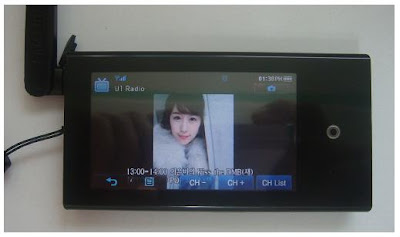


Although P2 DMB is limited to Korea territory, I hope that the following P2 DMB review is helpful for MP3 users in other countries.
P2 DMB looks very similar to P2 in shape and features. The main features supported by P2 DMB are video, music, pictures, DMB, Datacasts, text view, English/Korean dictionary, alarm, calendar, address book, world clock, FM radio, file browser, and Bluetooth which can be connected with stereo headset and mobile cell phone for listening to the music, transferring files, and phone calls.
As you can see the features above, P2 DMB is very much similar to P2. Samsung announced that coming firmware upgrades would include new functions such as DMB program guide, DMB schedule recording, games, and other convenient features as well as unknown bugs.
Now, let’s see the package first.
Gift Package
The gift package is not a normal box. I had to spend a little bit more time to open it. Two boxes were crossover each other. You may realize the structure of the box once you get one. The contents of the package are P2 DMB player, earphones, ear cushions, USB cable, quick user’s guide and an LCD protection film, Samsung Media Studio installation CD, DMB antenna, and a “For You” card which implies that you are so special and valuable for Samsung.
Stylish & Thin Design
P2 DMB looks so simple. The front side is full of 3” touch screen LCD. The hold and power buttons are on the left side, the volume up/down buttons on the right, the 24-pin port and earphone port on the bottom, and the DMB antenna port on the top. The dimension is 52x100x11.95mm (WxHxD). P2 DMB is a little bit thicker than P2 but I could not feel much differences. P2 DMB has a steel strip around the player which looks more durable, and valuable.After detaching the DMB antenna from the player, the antenna can be connected to the hand strap for portability.
Easy-to-Use User Interface
The menu is composed of three types: Cosmos, Matix, and My Skin. The Cosmos menu type displays only three items per screen. I had a hard time to figure out how to get to the next menu items such as Music, Video, Picture, Settings, etc. And finally, I found the way. It was a stroke method. This is a similar gesture when you turn a page of a book. Put a finger on the screen, slide the finger a little bit on the screen, and release the finger. The stroke method also works when you change the volume. On the Music, DMB, or Video mode, touch the right side of the screen and apply the stroke method to change the volume.
DMB Support
The DMB (Digital Multimedia Broadcasting) feature including DAB is a popular system in Korea. Many cell phones, Navigation devices, and Personal Media Players now support the DMB feature in order to allow users to watch TV channels in live. I believe P2 DMB is the first MP3 player that supports DMB in the MP3 player product category. P2 DMB supports only the Terrestrial DMB which means that broadcasting area is limited. If you take it to a mountain where a DMB transmitter is not supported, it may not work.
DMB Support
The DMB (Digital Multimedia Broadcasting) feature including DAB is a popular system in Korea. Many cell phones, Navigation devices, and Personal Media Players now support the DMB feature in order to allow users to watch TV channels in live. I believe P2 DMB is the first MP3 player that supports DMB in the MP3 player product category. P2 DMB supports only the Terrestrial DMB which means that broadcasting area is limited. If you take it to a mountain where a DMB transmitter is not supported, it may not work.
However, DMB is a useful outdoor TV. While we are moving around by bus or subway, we can enjoy a live sport, drama, or show. Samsung announced that the future firmware upgrades would include EPG (Electronic Program Guide) which is a kind of TV guide. Through the EPG feature, you can make a reservation to record or watch a channel. Using the EPG feature is free of charge while other companies charge certain amounts. Samsung will provide the EPG information to the user through EmoDio™. Once the user connects P2 DMB to EmoDio™, one week EPG information will be transferred to P2 DMB for free.
Video Support
Video Support
Samsung Media Studio automatically converts video files to SVI format, the Samsung’s video file format for P2 DMB during download process. As the format conversion (encoding) takes time, you would need more patience if you want to download large size video files to the player in real time. In order to save time, I would strongly suggest converting video files before you go to bed or when you have time. The Samsung Media Studio has a feature to do so and turns off PC after conversion. This helps me to watch my favorite movies on P2 DMB.
Datacast Support
Datacast Support
Datacast is a very useful feature. Using Samsung Media Studio, the Datacast feature allows you to automatically receive your interested and updated information from the web, Blog, news, and UCC sites without having you to visit the sites. I could enjoy reading the updated information through P2 DMB instead of reading newspapers in subways when I go to work or when I am not in front of PC.
Enhanced Sound Quality
DNSe is a 3D sound effect that Samsung developed for MP3 players. The 3D is three dimensional sound effect added to the music. And the street mode boosts the lower sound so that you can use this mode at a noise environment to listen to the low sound music more clearly. I could distinguish various sound effects provided by P2 DMB including DNSe.
Bluetooth Support
DNSe is a 3D sound effect that Samsung developed for MP3 players. The 3D is three dimensional sound effect added to the music. And the street mode boosts the lower sound so that you can use this mode at a noise environment to listen to the low sound music more clearly. I could distinguish various sound effects provided by P2 DMB including DNSe.
Bluetooth Support
The Bluetooth feature is one of the useful features. Through Bluetooth, we can wirelessly use a stereo headset, mobile phones, and any other Bluetooth devices such as home theater systems. The range of Bluetooth supporting wirelessly is 10m. I have a Bluetooth cell phone which is not made by Samsung Anycall. I could easily download photo files from my cell phone to P2 DMB and also listen to the music through my Bluetooth headset. However, I could not do a phone call from P2 DMB. There must be a conflict between my cell phone and P2 DMB. This means that P2 DMB is not fully compatible with all the Bluetooth cell phone. But it is still a good feature.
Prime Pack
The Prime Pack consists of text viewer, English/Korean dictionary, alarm, calendar, address book, world clock, and FM radio. Among those features, the dictionary feature would help students or people to learn English.
Prime Pack
The Prime Pack consists of text viewer, English/Korean dictionary, alarm, calendar, address book, world clock, and FM radio. Among those features, the dictionary feature would help students or people to learn English.
Also, I mostly use the FM radio and test viewer features. P2 DMB is useful when reading some text files of novel books rather than taking the real books to read.
Music Menu
The Music menu supports lyric display. Once a music file has been updated to contain its lyric using the Samsung Media Studio, the lyric can be displayed while listening to the music. Otherwise, a CD animation is displayed.

Optional Accessories:
Docking Station (Cradle)

The docking station is an optional accessory. It has a built-in speaker. When P2 DMB is inserted in it, the docking station uses the P2 DMB’s battery and audio sound comes from it. The docking station looks like a UFO (Unidentified Flight Object). It has a nice touch and glossy finish. This docking station is also compatible with YP-P2, YP-T10, and YP-S3 with a provided rubber adapter which fits in the contact area between the docking station and the player.
Zenon Speaker

The Zenon speaker is also an optional accessory which can be a useful speaker when watching a DMB channel together with some people around me. There is a coin holder on the back of the Zenon speaker. Once you insert a coin in it, you can make the P2 DMB player stand alone. This is a pretty good idea.

Specification
Audio Format: MPEG1/2/2.5 Layer 3 (8kbps~320kbps, 8KHz~48KHz),
WMA (48kbps~320kbps, 8KHz~48KHz), OGG (Q1~Q10)
AAC-LC2 (24kbps~128kbps, 44.1KHz, 48KHz)
AAC-Plus (16kbps~256kbps, 16KHz~44.1KHz)
Enhanced AAC-Plus (16kbps~56kbps, 32KHz~44.1KHz)
Video Format: SVI (Video: MPEG4 Simple Profile, Audio: MP3 (CBR 44.1KHz, 16bit Stereo, 128kbps)),
Resolution: 480x272, Frame Rate: 30fps)
WMV9 (Video: WMV9 Simple Profile, Audio: WMA9 (Max 860kbps),
Resolution: 320x240 or 480x272, Frame Rate: 30fps)
Image Format: JPG (Baseline only)
Color: Black/White
LCD: 3” TFT LCD (Touch Screen)
Earphone: 20mW/Ch. (at 16 ohm)
Frequency Range: 40Hz~20KHz
Playback Time: 25Hrs of Audio, 5Hrs of Video (at 128kbps MP3 file, Volume at 15, Normal Sound Effect)
Weight: 97gram
Dimension (WxDxH): 52mm x 100mm x 11.95mm
FM Frequency: 87.5~108.0MHz
Battery Type: 1200mAh / DC 3.7V
Playback Time: Max. 46 hrs of music (at volume level 15, normal sound effect, LCD off), Max. 7 hrs of video, Max. 5 hrs of DMB
Pros:
Advanced Multimedia Technology: Allow users to watch DMB, listen to music and FM radio, view the music lyric, pictures and text, play video files, and Bluetooth.
Terrestrial DMB: Can enjoy DMB with clear sound at any place while moving.
Touch screen menu: Navigation is easily performed by touching the screen.
Wide color LCD screen: The wide screen displays as many as information colorfully.
Stylish & modern design: very thin and compact, vivid color & nice finish
Rounding design on the edge provides a convenient grip feeling
Long playback time
Wonderful DNSe2.0 sound quality
An optional compatible docking station (cradle) that can be used with YP-T10, YP-S3 and YP-P2
An optional Zenon speaker
FM recording and Datacast features
Future firmware upgrades for games, EPG and other features
Cons:
The touch pad is too sensitive.
The DMB antenna is a little bulky.
Voice recording is not supported.
P2 DMB can not be used while being charged.
Conclusion:
Although P2 DMB is limited to Korea, it is a quite impressive MP3 player. Koreans might like P2 DMB instead of P2 while P2 does not support DMB. The optional Zenon speaker for P2 DMB would also be a necessary accessory for watching DMB with friends together. I hope P2 DMB becomes a famous MP3 player among Korean users.
-Reviewed by goitworld -
Wednesday, June 11, 2008
Samsung BD-P1500 review by EngadgetHD.com

 Samsung has always led the way when it comes to Blu-ray players. It was the first to market, months before even Sony or the PS3. Sammy has also released more generations of Blu-ray decks than any other manufacturer at four. Sure, Samsung players have had a few problems, and with few exceptions customers have been forced to upgrade their units to get new features, but overall every previous Samsung player has been a solid performer -- thus, we don't expect you to be floored when hearing that the BD-P1500 fits the same mold. Also, like its predecessors, the BD-P1500 braves the way with new features, but unlike the original BD-P1000, there's a lot of competition now. But even so, we're still not sure how many will choose it over a PS3.
 The Good
· Dolby Digital Plus and TrueHD decoding.
· Dolby Digital Plus and TrueHD encoding to DTS via S/PDIF works great for those without HDMI audio.
· Player bitstreams all codecs.
· Passed both the video resolution and film resolution loss test on the HQV test disc. (Player set to 1080p60)
· Same great menus and scrub bar as the BD-UP5000.
· Resume works on some discs.
· At 6 seconds, it has the fastest eject from off of any player we've tested.
· Component and HDMI will both output at the same time, unless resolution is set to to 1080p24. If it is set to 1080p60, then component runs at 1080i60.
· Bonus View works as advertised.
· Best looking Samsung Blu-ray player yet.
· Perfect picture and audio quality -- including 24p.
· Dolby Digital Plus and TrueHD decoding.
· Dolby Digital Plus and TrueHD encoding to DTS via S/PDIF works great for those without HDMI audio.
· Player bitstreams all codecs.
· Passed both the video resolution and film resolution loss test on the HQV test disc. (Player set to 1080p60)
· Same great menus and scrub bar as the BD-UP5000.
· Resume works on some discs.
· At 6 seconds, it has the fastest eject from off of any player we've tested.
· Component and HDMI will both output at the same time, unless resolution is set to to 1080p24. If it is set to 1080p60, then component runs at 1080i60.
· Bonus View works as advertised.
· Best looking Samsung Blu-ray player yet.
· Perfect picture and audio quality -- including 24p.
The Bad
· We wish it had a native resolution setting like Pioneer & Sony's Source Direct feature.
· Only way to change the resolution is to stop the disc.
· Only way to make the scrub bar show up is to hit pause.
· Still don't like the non-backlit remote.
· Load times aren't stellar; 34 seconds to load a disc, 47 seconds if the player is off.
· No coax digital output.
· No discrete analog out -- first Samsung BD player without them.
· No DTS-HD MA support until firmware update.
· No BD Live until firmware update.
· Resume doesn't work on some discs (BD-J limitation).
Conclusion
There's a lot to like about this player, but it's hard to believe that after 2 years and 5 players, Samsung still doesn't have a "full featured player." Sure BD Live isn't for everyone -- and in fact, many don't even have internet connectivity behind their HDTV -- but with BD Live and DTS-HD MA currently missing from this one, the only thing really left to like over the previous model is the price. And since the PS3 sells for the same -- unless you find the BD-P1500 on sale -- we wonder who'd prefer the BD-P1500 over Sony's multifaceted console. The good news is we don't have anything exceptionally bad to say about the BD-P1500; in fact, it works as advertised in every way. So if you're in the market for a standalone player, and don't care can wait for BD Live and DTS-HD MA decoding, this is currently the player to beat.
For more information, please link here:
Saturday, June 7, 2008
Samsung raised the bar for camcorders
 Canada.com reviewed Samsung's SC-HMX20C Full HD camcorder.
When my son was a little gaffer -- which is too long ago to even think about most of the time -- I was a typical dad who took pictures of everything he did.
We have photo albums stuffed with the first step, the drooling smile of the first teeth -- literally thousands of them.
I wished for the ability to take video, but I didn't want to go out and buy a great big camera to haul around along with all the other paraphernalia we had to carry. So we went without video of all those precious moments that are best displayed in video.
I wish there were camcorders like Samsung's brand new SC-HMX20C available then. Announced at this year's CES in Las Vegas, the SC-HMX20C isn't available in Canada yet, but the expected release toward the end of May will put a terrific quality camcorder into the hands of home consumers -- although pricing also isn't available at this time.
Well, while I have my regrets about not having video, you don't need to -- this new camcorder pretty well has it all. It has a 6.4-megapixel still camera so you can take good quality images, and it's a full HD video camera that shoots at 1920 x 1080 resolutions. With that resolution, you can take your videos directly off of the camera and play them on your HD TV -- see junior drooling on the 60-inch in High Def!
The HMX20C is only 2.6 inches wide x 2.65 inches high by 5.47 inches, and weighs just 1.01 pound. The onboard 8GB of memory holds up to 90 minutes of recording at 1920 x 1080. You can easily add a memory card to increase the capabilities.
The 10X zoom lens offers you the ability to take those close-ups you want, and the 300 frames per second super slow motion recording speed lets you analyze your golf swing to see what you're doing wrong. If you're like me though, slowing down my golf swing just makes it look even worse.
The HMX20C has a 2.7-inch touchscreen LCD viewfinder, which is really handy when recording. The pop-up flash provides that extra bit of light when you need it, and the Electronic Image Stabilization is a real boon for those of us who aren't quite as steady-handed as we once were. It really comes into play when recording video while zooming, and is an absolute necessity in my view.
You can easily download your images and videos onto your PC, running Windows XP or greater. If you're a Mac user, sorry, you're out of luck with this camera. You can use USB 2 to download images, or use the HDMI cable to connect your camera directly to your HDTV to watch your photos and videos directly.
The lithium battery will give you about 1.5 hours of recording time, which is enough to fill the onboard flash memory. An extra battery is never a bad idea though, so if I were buying this camera, I'd get a battery for sure, as well as one of the extra SDHC/MMC+ memory cards.
The camera has a unique swivel grip which easily changes the way you can hold it from up in front of your face to down low, so you can take a kid-level shot of first steps, or get that all-important close-up of Lassie's adoring eyes. I may make a bit of fun of that feature, but it's actually pretty handy for taking all sorts of different pictures/videos and it'll soon be a feature you'll really like.
Samsung has supplied some software to put on your PC that will let you do basic editing of your videos to add those final touches before you show grandma and grandpa.
The onboard microphone records AAC audio, so you'll capture all the audio you want from your video shoot.
This is a nice, easy to handle camcorder that really takes advantage of the technology available to give home users the best possible videos at a decent price.
If you're looking for a good quality digital camcorder that can take stills or videos with equal aplomb, is easy to use, feature-packed and takes HD images, then you owe it to yourself to look around for this camera.
PROS: High Def video, decent quality stills, many features, the super slow motion video and the cool swing grip make this a very desirable camcorder.
CONS: Won't work on a Mac, some might find it a bit cumbersome to use because of the weight and you must use the camera in your right hand -- like most camcorders.
E-mail Hill at: mhill@sp.canwest.com, and find past columns on the web at: http://www.canada.com/topics/technology/columnists/hill.html.
Thursday, May 15, 2008
BD-UP5000 in the SmartComputing magazine
The SmartComputing magzine posted Samsung's BD-UP5000 dual Blu-ray, HD-DVD player.


Sunday, March 9, 2008
Sony, Samsung offer best value in Blu-Ray players
 Feb. 28 (Bloomberg) -- Now that Toshiba Corp. has conceded the battle over next generation DVD technology to Sony Corp.'s Blu-ray, it's time to evaluate high-definition players.
Unlike current DVDs, Blu-ray can store a full-length, high- definition movie on a single disc. When viewed on an HD television, a Blu-ray movie should look amazingly sharp and rich in color. The selection of movies should improve, too, as Hollywood focuses on one standard.
I tested Blu-ray players from four companies: Sony, Panasonic, which is owned by Matsushita Electric Industrial Co., Tokyo-based Pioneer Corp., and Samsung Electronics Co., based in Suwon, South Korea. I also played Blu-ray movies on my Sony PlayStation 3 game console to see how it stacks up against the standalone players.
The image quality on all five devices was impressive, ranging from very good to excellent. I connected each player, one at a time, to my plasma TV and watched the Blu-ray versions of ``Planet Earth'' and ``Spider-Man 3,'' as well as the standard DVD versions of ``Lord of the Rings'' and the animated film ``Tarzan.''
Samsung's BD-P1400 and Sony's BDP-S500 showed a slight edge over the other devices. Images looked extra sharp on my plasma and colors were truly vivid. Even standard DVDs looked better because the Blu-ray devices I evaluated can perform a technique called upconversion which takes standard definition content and converts it to high definition by adding pixels on the screen. Both of my DVD flicks looked great on the HDTV, although movies on Blu-ray discs appeared even richer.
Start Speed
Startup speed -- the time between pressing the power button on the remote and the player showing the movie on screen -- was where I noticed a difference. The PlayStation 3 and Panasonic's DMP-BD30 were the fastest at 31 and 32 seconds, respectively. The Samsung came in next at 55 seconds, followed by Sony's BDP- S500, clocking in at 1 minute and 1 second. The Pioneer Elite BDP-95FD was the slowest at 1 minute and 11 seconds.
In general, Blu-ray players cost between $400 and about $1,000. Based on my tests and online research, the higher priced models don't provide noticeably better performance or features than their lower priced counterparts. For most users, I don't see a significant advantage to buying a more expensive player. The $999 Pioneer BDP-95FD was slower than the others and has features almost identical to Samsung's $400 BD-P1400.
The key difference is the additional infrared port on the Pioneer, which allows you to connect an external infrared box for a specialized remote control designed to access the Blu-ray player even through cabinet walls. This would be useful for someone who wants to hide their equipment. Pioneer said you can also access movies and photos from your computer with the BDP- 95FD player using an Ethernet cable.
Play Music
The four Blu-ray players can be plugged in to high-end, surround-sound speakers and they all support high-definition audio. They all play music CDs, although to play MP3s on the $600 Sony BDP-S500, you must have the content saved on a DVD.
The BD30 from Osaka-based Panasonic is the only player I looked at that's designed with a SecureDigital memory card slot, which can let you view videos from a camcorder or photos from a digital camera. Convenient, but you can also just plug your camera or camcorder directly to a TV with a standard audio/video cable.
The Samsung and Pioneer Blu-ray players, as well as the Sony PlayStation PS3 game console, have an Internet connection, allowing software upgrades. They all come with remote controls, though only Samsung's and Pioneer's are designed with handy, glow-in-the-dark buttons.
Good Looks
Sony's BDP-S500 is the most aesthetically pleasing for my taste, thanks in part to the glossy blue, auto-sliding front cover. Pioneer's 95FD looks classy and would fit right in with an audiophile's home theater setup. The $500 Panasonic BD30 is the lightest and smallest -- ideal for tight spaces.
All companies plan upgrades this summer or fall. Sony said this week that it will introduce two models, the $400 BDP-S350 and the $500 BDP-S550. Enhancements will include an Internet connection for software updates and the ability to access interactive content, a feature that the industry calls BD-Live.
Sony's new players will also have a feature called Bonus View or Picture-in-Picture. Typically, this is used for extra material on a movie disc, such as a director's commentary while the movie is playing. Panasonic,
Pioneer and Samsung also promise to add Bonus View to new Blu-ray models. None of the Blu-ray players I reviewed have Bonus View and BD-Live. The PlayStation 3, though, can be upgraded for those features through its online connection.
Samsung's BD-P1400 and the Sony PlayStation 3 have the most bang for the buck, although I read several reports on Amazon.com from people complaining that the Samsung machine wouldn't play new releases in Blu-ray format. Samsung said it will provide software updates that users can download via the Internet. To possibly avoid such hassles, consider the pricier Sony DBP-S500 or Panasonic BD30.
One advantage of the PlayStation 3: You can also play video games on it.
Blu-ray Players Scorecard
Panasonic DMP-BD30 $500 7/10 http://www.panasonic.com/
Pioneer Elite BDP-95FD $999 6/10 http://www.pioneerelectronics.com/
Samsung BD-P1400 $400 7.5/10 http://www.samsung.com/
Sony BDP-S500 $600 7.5/10 http://www.sonystyle.com/
Subscribe to:
Posts (Atom)