
Showing posts with label i-function. Show all posts
Showing posts with label i-function. Show all posts
Sunday, May 15, 2011


Friday, May 13, 2011
Samsung NX100: How to Use the i-Function Lens(SPSTV)
Following shows the i-Function operation with NX100 camera.


Wednesday, May 4, 2011

Friday, April 29, 2011

Friday, April 22, 2011

Firmware Updates for the NX lenses
SamsungImaging released a firmware update for the NX lens series.

Samsung Electronics Co., Ltd, a global leader in digital media and digital convergence technologies announced firmware upgrades for Samsung’s NX Lenses. The firmware upgrades for NX lens will enhance the product performance.
Here are the improvements in NX Lens Firmware
1. The rotation direction of MF Ring is changed to the opposite.
2. The power consumption of using the lens is reduced.
3. Focus accuracy is imporved when focus is set to infinite in Fireworks mode.
Applicable Models and Firmware Versions
• 18-55 mm (v1.20)
• 18-55 mm_i-Function (v1.10)
• 20 mm (v1.10)
• 20-50 mm (v1.10)
• 30 mm (v1.20)
• 50-200 mm (v1.20)
• 50-200 mm_i-Function (v1.10)
The upgrades are available for customers to download at www.samsung.com
How to upgrade the firmware for the NX Lenses.
You can upgrade the firmware by following these steps;
1. Click here to download firmware
2. Click on Firmware

3. Click on ‘Upgrade guide’ and ‘Upgrade File’ to install and upgrade your firmware
Here is the link to the source: http://www.samsungimaging.net/2011/04/21/firmware-updates-for-the-nx-lenses/

Wednesday, April 20, 2011

Wednesday, April 13, 2011
Samsung NX 20mm F2.8 i-Function Review
Following is a detailed review of the NX20mm i-Fn lens provided by PopcoNet.
New changes to share Ultra Slim pancake single lens Samsung NX 20mm F2.8 i-Function 
In 2010, a lot of new and unique products were released. Cameras with new functions kept being released, and more advanced cameras have been made. However, customers don’t like it any more from a certain point. They know a new model will come out soon after they have bought the newest product of today, so they hesitate to purchase a new one. They are sick and tired of the frequent changes and small improvement. Then, what should all the companies do? Yes, they need to concentrate getting the loyalty of a customer, so when they do buy their next camera they will first look at the company’s products.

Rather than making a shocking or brilliant item, a company that care about their customers with small details will get their attention for those expensive purchases.
There’s no exception in the camera market. Cameras with better shooting performance and easy to used functions will lead the market. Samsung released the New Paradigm lens in the second half of 2010. That was the Samsung NX 20mm F2.8. The Samsung NX 20mm F2.8 is a new slim pancake lens released with the NX100, and by adopting the new function called i-Function, it introduced an innovative shooting setting system for customers and NX mount slim & smart wide single focus lens.


Rotating the focus ring to take shots! Samsung NX 20mm F2.8 with i-Function
i-Function is a new shooting mode setting system in order for users to take faster and more accurate shots. Samsung NX 20mm F2.8 i-Function allows users to set the shooting option with a button on the side on the lens and the focus ring. None of this is done on the body, so it’s quite interesting. While shooting, users don’t need to look at the body to change the option, but just by looking at the LCD or through the viewfinder and pushing the i-Fn button, various settings such as shutter speed, aperture, exposure, white balance, and ISO can be set.
i-Function
Shutter speed adjustment Aperture adjustment ISO adjustment White Balance adjustment Exposure compensation Here is the link to the long review: http://www.samsungimaging.net/2011/04/13/samsung-nx-20mm-f2-8-i-function-review/
Tuesday, March 15, 2011
NX100 Adventure of i-Function man Catch a Cat With NX100 Stopmotion animation
Following is a funny animation showing the i-Function lens of NX100.
http://www.youtube.com/watch?v=h-SB9yxPNNk

http://www.youtube.com/watch?v=h-SB9yxPNNk

Tuesday, March 1, 2011
NX100 i-Function Video Sample
Following is a sample video showing how to use the i-Function lens feature.


Saturday, January 29, 2011
Samsung i function 20mm Lens Guide
Here is a video sample of the Samsung i-Function 20mm lens guide.


Friday, January 28, 2011
Samsung i function 20mm Lens Guide
Following is a video showing the display changes as the lens is rotated at an i-Function value.


Sunday, December 19, 2010
Samsung i function 20mm Lens Guide 02
Following is an i-Function test sample of Samsung NX10 camera.


Wednesday, December 15, 2010
[NX10, 20mm F2.8] How is the convenience of i-Function lenses?
Following explains how to use the i-Function feature for Samsung NX10.

Recently, mirrorless cameras are popular in the digital camera market, because the big size of DSLRs has been reduced by eliminating the mirror and the quality is also great with the APS-C sensor which is the same as DSLRs.
These mirrorless cameras are the best with a small pancake lens. That’s why I’m going to take a closer look at the Samsung 20mm F2.8 i-Function Pancake lens released with the NX10.
Please read more. There are many sample images too.
http://www.segadget.com/entry/606
Tuesday, December 14, 2010
Samsung Interchangeable lens mirrorless camera NX10 and i-Function 20mm F2.8 single lens
Here is a long review of Samsung NX10 with i-Function.
After the small, light interchangeable lens mirrorless camera NX10 and NX5, the NX100 got an attention with the very interesting i-Function.
When using a DSLR camera, there are a lot of things to be done by a right hand, but a left hand is used to keep the camera from shaking.
Therefore, the right hand needs to do a lot of things including the operations for menu, shutter, and stable grip.
That’s why the i-Function lens allows the right hand to just hold the camera and push the shutter by making some functions through the lens, I think.

As the 18-55mm standard zoom lens user, the 20mm single lens with a new function made me want to use it.
However, I was worried that the i-Function lens released with the NX100 which is the next model of the NX10 can be used with the NX10. Samsung has released new firmware to address this. Of course, their purpose is to sell the new lenses, but I’m actually happy that Samsung allows the user of the previous model to use the new lenses. You can understand that easily if you compare this to other Japanese camera makers.
Before looking at the 20mm single lens, let’s take a look at the new firmware.

Compared with the previous firmware, 2 menus have been added in the new version 1.20.
One is for the external GPS function in No.4 menu, and the other is for i-Function in No.5 menu. When looking at the space below in No.4 and 5 menus, it makes me hope there will be more functions later.
<Lens i-Function> includes WB and ISO On/Off menu and <Distortion Correct> includes On/Off menu in a standard lens, but when it comes to a single lens, it’s set to On.
For your information, if you use the Ver. 1.05 or lower, you’d better update it to the Ver. 1.15, and then upgrade it again to the Ver. 1.20 firmware for more stable i-Function.


Please read more to continue the long review: http://www.segadget.com/entry/605
Thursday, December 2, 2010
Adventure of i-Function man ( Let's go to the Sunset ; Stopmotion Animation Video)
Following is a video of the i-Function man, an animation stop motion.

Thursday, November 18, 2010
NX Cartoon Ep.1 : One Meets the NX i-Function Lens
Following is a cartoon explaining about the Samsung NX camerea and the i-Fn lens.


Tuesday, November 9, 2010
The NX100 meets OK Go on the Mobile!
Following is an information about Samsung NX100.
The NX100 web page for mobile has been opened.
You can access the NX100 page by putting http://www.cre8yourworld.com on URL bar with smart phones.

The first page shows the slogan of NX100 “Create Your World with NX100” and OK Go.
There are just two buttons for user’s convenience.

Click the first button ‘OK Go’s Next Project’, then you can see the OK Go’s music video and the episodes of making film.
Because the episodes are being released one by one, there are some videos are not yet available.

The second button, ‘NX100 with i-Function Lens‘, contains the information of the i-Function lens.
With a new i-Function lens, users control mechanism that enables users to quickly move through settings and control them with the camera’s value ring.
Check out the new NX100 page with your mobile.
The NX100 page for mobile will be open for the six weeks, which started on November 8.
Read more: http://www.samsungimaging.net/2010/11/09/nx100-meets-ok-go-on-the-mobile/
Friday, October 29, 2010
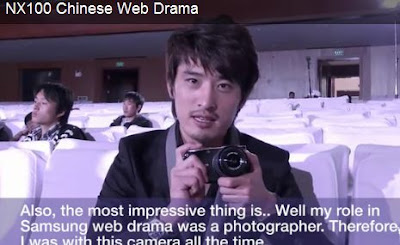
Visit to the production set of NX100 Chinese Web Drama
Following is a review of Samsung NX100 from a Chinese web drama production.

Subscribe to:
Posts (Atom)