Tuesday, June 24, 2008

Review: Samsung's DMB MP3 Player YP-PB2, "P2 DMB"

Samsung launched a next generation of YP-P2 in Korea, so called “P2 DMB”. The previous version, P2 has been popular among the MP3 users in the world since it was launched last year. Recently, Samsung developed P2 DMB, a sister product of P2 which supported DMB (Digital Multimedia Broadcasting) for Korean users only. Unfortunately, the DMB feature will not work in the USA or other countries. This means that P2 DMB should be used only in Korea to use the full advantage of the DMB feature.

Although P2 DMB is limited to Korea territory, I hope that the following P2 DMB review is helpful for MP3 users in other countries.

P2 DMB looks very similar to P2 in shape and features. The main features supported by P2 DMB are video, music, pictures, DMB, Datacasts, text view, English/Korean dictionary, alarm, calendar, address book, world clock, FM radio, file browser, and Bluetooth which can be connected with stereo headset and mobile cell phone for listening to the music, transferring files, and phone calls.

As you can see the features above, P2 DMB is very much similar to P2. Samsung announced that coming firmware upgrades would include new functions such as DMB program guide, DMB schedule recording, games, and other convenient features as well as unknown bugs.

Now, let’s see the package first.


Gift Package

The gift package is not a normal box. I had to spend a little bit more time to open it. Two boxes were crossover each other. You may realize the structure of the box once you get one. The contents of the package are P2 DMB player, earphones, ear cushions, USB cable, quick user’s guide and an LCD protection film, Samsung Media Studio installation CD, DMB antenna, and a “For You” card which implies that you are so special and valuable for Samsung.

Stylish & Thin Design
P2 DMB looks so simple. The front side is full of 3” touch screen LCD. The hold and power buttons are on the left side, the volume up/down buttons on the right, the 24-pin port and earphone port on the bottom, and the DMB antenna port on the top. The dimension is 52x100x11.95mm (WxHxD). P2 DMB is a little bit thicker than P2 but I could not feel much differences. P2 DMB has a steel strip around the player which looks more durable, and valuable.


After detaching the DMB antenna from the player, the antenna can be connected to the hand strap for portability.

Easy-to-Use User Interface
The menu is composed of three types: Cosmos, Matix, and My Skin. The Cosmos menu type displays only three items per screen. I had a hard time to figure out how to get to the next menu items such as Music, Video, Picture, Settings, etc. And finally, I found the way. It was a stroke method. This is a similar gesture when you turn a page of a book. Put a finger on the screen, slide the finger a little bit on the screen, and release the finger. The stroke method also works when you change the volume. On the Music, DMB, or Video mode, touch the right side of the screen and apply the stroke method to change the volume.

DMB Support
The DMB (Digital Multimedia Broadcasting) feature including DAB is a popular system in Korea. Many cell phones, Navigation devices, and Personal Media Players now support the DMB feature in order to allow users to watch TV channels in live. I believe P2 DMB is the first MP3 player that supports DMB in the MP3 player product category. P2 DMB supports only the Terrestrial DMB which means that broadcasting area is limited. If you take it to a mountain where a DMB transmitter is not supported, it may not work.
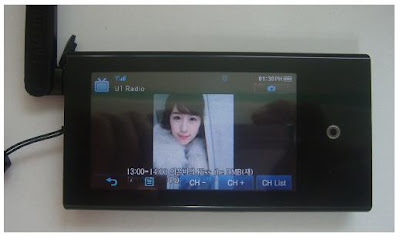
However, DMB is a useful outdoor TV. While we are moving around by bus or subway, we can enjoy a live sport, drama, or show. Samsung announced that the future firmware upgrades would include EPG (Electronic Program Guide) which is a kind of TV guide. Through the EPG feature, you can make a reservation to record or watch a channel. Using the EPG feature is free of charge while other companies charge certain amounts. Samsung will provide the EPG information to the user through EmoDio™. Once the user connects P2 DMB to EmoDio™, one week EPG information will be transferred to P2 DMB for free.

Video Support
Samsung Media Studio automatically converts video files to SVI format, the Samsung’s video file format for P2 DMB during download process. As the format conversion (encoding) takes time, you would need more patience if you want to download large size video files to the player in real time. In order to save time, I would strongly suggest converting video files before you go to bed or when you have time. The Samsung Media Studio has a feature to do so and turns off PC after conversion. This helps me to watch my favorite movies on P2 DMB.


Datacast Support
Datacast is a very useful feature. Using Samsung Media Studio, the Datacast feature allows you to automatically receive your interested and updated information from the web, Blog, news, and UCC sites without having you to visit the sites. I could enjoy reading the updated information through P2 DMB instead of reading newspapers in subways when I go to work or when I am not in front of PC.
Enhanced Sound Quality
DNSe is a 3D sound effect that Samsung developed for MP3 players. The 3D is three dimensional sound effect added to the music. And the street mode boosts the lower sound so that you can use this mode at a noise environment to listen to the low sound music more clearly. I could distinguish various sound effects provided by P2 DMB including DNSe.


Bluetooth Support
The Bluetooth feature is one of the useful features. Through Bluetooth, we can wirelessly use a stereo headset, mobile phones, and any other Bluetooth devices such as home theater systems. The range of Bluetooth supporting wirelessly is 10m. I have a Bluetooth cell phone which is not made by Samsung Anycall. I could easily download photo files from my cell phone to P2 DMB and also listen to the music through my Bluetooth headset. However, I could not do a phone call from P2 DMB. There must be a conflict between my cell phone and P2 DMB. This means that P2 DMB is not fully compatible with all the Bluetooth cell phone. But it is still a good feature.


Prime Pack
The Prime Pack consists of text viewer, English/Korean dictionary, alarm, calendar, address book, world clock, and FM radio. Among those features, the dictionary feature would help students or people to learn English.

Also, I mostly use the FM radio and test viewer features. P2 DMB is useful when reading some text files of novel books rather than taking the real books to read.


Music Menu
The Music menu supports lyric display. Once a music file has been updated to contain its lyric using the Samsung Media Studio, the lyric can be displayed while listening to the music. Otherwise, a CD animation is displayed.

Optional Accessories:

Docking Station (Cradle)

The docking station is an optional accessory. It has a built-in speaker. When P2 DMB is inserted in it, the docking station uses the P2 DMB’s battery and audio sound comes from it. The docking station looks like a UFO (Unidentified Flight Object). It has a nice touch and glossy finish. This docking station is also compatible with YP-P2, YP-T10, and YP-S3 with a provided rubber adapter which fits in the contact area between the docking station and the player.


Zenon Speaker

The Zenon speaker is also an optional accessory which can be a useful speaker when watching a DMB channel together with some people around me. There is a coin holder on the back of the Zenon speaker. Once you insert a coin in it, you can make the P2 DMB player stand alone. This is a pretty good idea.

Specification
Audio Format: MPEG1/2/2.5 Layer 3 (8kbps~320kbps, 8KHz~48KHz),
WMA (48kbps~320kbps, 8KHz~48KHz), OGG (Q1~Q10)
AAC-LC2 (24kbps~128kbps, 44.1KHz, 48KHz)
AAC-Plus (16kbps~256kbps, 16KHz~44.1KHz)
Enhanced AAC-Plus (16kbps~56kbps, 32KHz~44.1KHz)
Video Format: SVI (Video: MPEG4 Simple Profile, Audio: MP3 (CBR 44.1KHz, 16bit Stereo, 128kbps)),
Resolution: 480x272, Frame Rate: 30fps)
WMV9 (Video: WMV9 Simple Profile, Audio: WMA9 (Max 860kbps),
Resolution: 320x240 or 480x272, Frame Rate: 30fps)
Image Format: JPG (Baseline only)

Color: Black/White
LCD: 3” TFT LCD (Touch Screen)
Earphone: 20mW/Ch. (at 16 ohm)
Frequency Range: 40Hz~20KHz
Playback Time: 25Hrs of Audio, 5Hrs of Video (at 128kbps MP3 file, Volume at 15, Normal Sound Effect)
Weight: 97gram
Dimension (WxDxH): 52mm x 100mm x 11.95mm
FM Frequency: 87.5~108.0MHz
Battery Type: 1200mAh / DC 3.7V
Playback Time: Max. 46 hrs of music (at volume level 15, normal sound effect, LCD off), Max. 7 hrs of video, Max. 5 hrs of DMB

Pros:
Advanced Multimedia Technology: Allow users to watch DMB, listen to music and FM radio, view the music lyric, pictures and text, play video files, and Bluetooth.
Terrestrial DMB: Can enjoy DMB with clear sound at any place while moving.
Touch screen menu: Navigation is easily performed by touching the screen.
Wide color LCD screen: The wide screen displays as many as information colorfully.
Stylish & modern design: very thin and compact, vivid color & nice finish
Rounding design on the edge provides a convenient grip feeling
Long playback time
Wonderful DNSe2.0 sound quality
An optional compatible docking station (cradle) that can be used with YP-T10, YP-S3 and YP-P2
An optional Zenon speaker
FM recording and Datacast features
Future firmware upgrades for games, EPG and other features

Cons:
The touch pad is too sensitive.
The DMB antenna is a little bulky.
Voice recording is not supported.
P2 DMB can not be used while being charged.

Conclusion:
Although P2 DMB is limited to Korea, it is a quite impressive MP3 player. Koreans might like P2 DMB instead of P2 while P2 does not support DMB. The optional Zenon speaker for P2 DMB would also be a necessary accessory for watching DMB with friends together. I hope P2 DMB becomes a famous MP3 player among Korean users.

-Reviewed by goitworld -

Monday, June 23, 2008

Engadget.com: Samsung SC-HMX20C HD camcorder review

Samsung SC-HMX20C HD camcorder review
by
Darren Murph, posted Jun 17th 2008 at 11:05AM
Shortly after spending some quality time with the
world's most diminutive HD camcorder, we were able to corral another remarkably small competitor -- one that shoots 1080p. Samsung's SC-HMX20C wasn't built to fit into the average back pocket, but its array of features more than made up for the size. After a week of wrapping our palm around this critter and capturing clips from everything ranging from America's pastime to a leisurely walk in the 'hood, we're ready to disclose our thoughts on the matter. Interested? Catch the full review after the jump.
Design
Samsung's SC-HMX20C is small. Real small when you consider the resolution at which this thing captures at. The unit can fit within one's palm, and while it is a bit heavy, toting it around in a cargo pocket wouldn't be entirely out of the realm of possibility. The device itself felt extremely solid, the flip-out LCD was sturdy, and overall, we were very impressed with how it fit in our hands when shooting. It should be noted that the SDHC / MMC+ card slot is tucked behind the same door as the battery, but it's not like you have to remove the battery to access the card slot. Additionally, the video outputs are hidden behind a small door which is concealed behind the flip-out LCD. Not a problem for us -- just letting the quirks be known.
User Interface
Touchscreen LCD monitors can always be hit or miss, particularly on handheld camcorders. We're pleased to say that the flip-out touch panel on this unit was undoubtedly useful and well implemented. The screen did have a thing for maintaining fingerprints, but it never became more than a minor annoyance. It recognized haphazard touches and only misread our true intentions once or twice during an entire week. Our only real dig here was the slight pause between menu switches; momentary lag was introduced when traversing between a deep menu item and one closer to the top, but it never proved to be anything more than a slight irritation.
The menu system itself was exceptionally well-crafted. A "Quick Menu" button pulled up the six most popular selections (Storage Medium, Resolution, White Balance, Focus, Exposure and Shutter), and at no time did we feel the screen was too cluttered with options. The in-depth menus were yet again well thought out and easy to navigate, making on-the-fly tweaks relatively easy to achieve. Switching between Movie Mode, Photo Mode and Playback Mode was even simpler, as Samsung provided a dedicated button just beside the Photo Capture button solely for swapping between that trio.
We also appreciated the twin record and zoom buttons; users can zoom in / out and stop / start recording by hitting the thumb buttons on the unit itself or by selecting them on the flip-out display. Again, a minor -- albeit thoughtful -- touch. Overall, the SC-HMX20C was designed for the average joe / jane to pick up and fire up without ever having to tear into the user's manual. Sure enough, the only time we ever referenced said pamphlet was just to make sure we didn't miss anything while surfing around the UI ourselves. Granted, this also speaks volumes about its intended audience. Yeah, it does 1080/30p and 1080/60i (along with 480/60p and an SD-only SlowMotion mode), but this camcorder isn't made for professionals. That being said, folks obsessed with archiving every single family outing in stunning HD will find plenty to love.
Video performance
Okay, so the UI is remarkable, but how's about the actual performance? First off, we were quite amazed to find that the 8GB of internal storage space could hold around 71 minutes of 1080/30p or 1080/60i in Super Fine mode. Knock those resolutions down a bit (but c'mon, who is going to do that?), and you can fetch upwards of 2 hours without even slapping your own SDHC card in there. A fully charged battery showed about 90 minutes of life, and even with heavy LCD use, it proved quite accurate.
Capturing video was a cinch, and we really appreciated how the camcorder kept track of files internally. Upon connecting it to a Windows XP-based machine, it simply mounted as a drive and enabled us to pull the MPEG-4 clips over to our PC's hard drive. Simple as that. Be forewarned though -- playing back said clips via QuickTime requires a pretty potent computer. Otherwise, Full HD clips will skip and stutter as your rig attempts to churn through.
Overall, we'd have to say we're pretty pleased with the unit's ability to log clips. Yeah, we wish that totally novel SlowMotion mode was available in HD, and we wish the low light performance was a touch better (as with every other camcorder out there), but we really can't find too much to kvetch about. While shooting in broad daylight, we were satisfied with results when keeping in mind that the target audience is novice / amateur users. Clips were free from excessive grain, the audio capture was sufficient and playback on both a computer and an HDTV was up to par. The 10x zoom was decidedly smooth and snappy, as well.
While shooting in low light, the expected grain monster reared its ugly head, but such is the case with all small, handheld camcorders to be frank. In other words, we wouldn't recommend this unit for those who find themselves using it primarily at night or in dimly lit scenarios, but those who wander outside every now and then during the day (imagine that!) will probably be pleased with what it can do. One other note on the SlowMotion: it's a sweet feature, and it sure adds some wow-factor, but the inability for it to function in HD is a real bummer for us.
Photo performance
Alright, we get that you aren't seeking out a camcorder for its still shot abilities, but hey, Sammy included it, so we tested it. Put simply, the image capture mode isn't half bad, and it's actually passable in daylight. Don't get it twisted, however -- we'd still strongly recommend carrying your trusty P&S / DSLR around and using that when possible, but if you're trying to do everything yourself and just can't find time to fish out that shooter, the SC-HMX20C should suffice. Of course, we're comparing its results to other camcorder results that we've seen in the past, and from that, we came away reasonably happy with what it could do.
Wrap-up
Let us restate: the SC-HMX20C isn't meant to be looked at seriously by pros. The $849.99 (or so) price tag is proof of that. For individuals seeking a small, easy to carry camcorder that will capture family vacations, impromptu get-togethers and your kid's school play, we can certainly say this one's worth the price of admission. If you're looking for expert features and an XLR jack for connecting your boom mic, you won't find that here. But the bundled CyberLink DVD Suite for HD (which includes PowerDVD 7.3, PowerProducer 4.2 and PowerDirector 6.0 for HD) was very much appreciated.
For what it is (and for what it costs), Sammy's latest HD camcorder excels. After a week with it, we simply couldn't find enough niggles to tell you to look elsewhere if you're already close to pulling the trigger. Do we wish the LCD backlight was a wee bit brighter? Sure. Do we wish the low-light performance was a smidgen better? Of course. But at the end of the day, is the SC-HMX20C a solid buy for the price? We think so. Take a peek at the (completely unedited) clips below to get a very loose feel for what this unit can do.

Sunday, June 22, 2008

Review: DecoMag, Music Video YP-P2 of Samsung

The Decomag Magazine has also posted Samsung YP-P2 review.
The coverage can be found at: DECORMAG Magazine, Section: Techno, Article: “To kill time while travelling”, Issue: July/August, 2008

Here is about the article:

Music Video YP-P2 of Samsung
Approximately 219 $ (8 GB)

At both compact and elegant, the YP-P2 of Samsung meets the main features we are entitled to expect in a media player: reading, photos, with slide show, music, videos and even radio.

Simply touch the icons on the screen and who represent these functions to access it. Despite weighing 85 grams and a thickness of less than 1 cm, this device features a touch screen more than 7 inches diagonally, widescreen. Better still, it is compatible with the standard Blue-tooth 2.0, for those who would like to pair it with a wireless headset.

Saturday, June 21, 2008

Review: Here's How Magazine, Samsung SC-HMX20C

The Here's How magazine posted Samsung SC-HMX20C review.
The Here’s How magazine is a Grade A, the sister publication of Marketnews Magazine, Serving Canada’s Consumer Electronics, Computing & Digital Imaging Industry for thirty years.
Coverage can be found at: Here’s how Magazine, Section: Home Video Hands-on, Issue: June/July, 2008.

Style: This compact camcorder is truly a thing of beauty, with a lovely molded shape and very nice materials and textures. All controls are right where they should be.
Menus: Menus are well designed and self-explanatory
Unique Feature: There are also some unique features, such as the ability to shoot standard-definition video at 300 frames per second .
Picture Quality: I was very impressed with the picture quality: colors were very natural and detail was excellent.
Price: The SC-HMX20C has a significant price advantage over other camcorders in the market.
Followings are the copies of the magzine:

DECOMAG: Digital Camcorder SC-HMX10A of Samsung

The DECOMAG Magazine, where over 84,000 copies are available across Canada, issued in July/August, 2008 covers Digital Camcorder SC-HMX10A of Samsung.


It can be found at: DECORMAG Magazine, Section: Techno, Article: “To return unforgettable memories”, Issue: July/August, 2008

Here is the article:

Approximately 775 $ (4 GB)

For similar reasons, a digital camcorder ultra high definition will be very appreciated during the summer season. Thanks to the integrated flash memory (4 GB) and a card reader SDHC / MMC to increase its capacity, the SC-HMX10A Samsung is so small it can be carried in a pocket! The touch screen also presents an ergonomics incredible simplicity: effleurant screen finger, the user has access to the full functions of his camcorder; it can order the finger and the eye.

Tuesday, June 17, 2008

Samsung SC-HMX20C Camcorder Review

Reviewed by Sean

It has been a year since Samsung released the SC-HMX10, a high definition camcorder. Now Samsung released C-HMX20C, the next generation of SC-HMX10 supporting full high definition which is 1920x1080 resolution. SC-HMX10 seems to be a quite competitive product in its design and functionality.

Samsung has offered me to review its new SC-HMX20C camcorder that would be launching soon. Then, I have spent for a while to get to know SC-HMX20C and here is my review.
Let’s look at the appearance first and then its performance.

Appearance
Having only a few buttons, the design of SC-HMX20C looks so simple.
The first impression when I saw the SC-HMX20C camcorder was that it looked like a can of Coke or bear, a cylinder shaped body. Since SC-HMX20C is the next generation of the SC-HMX10, the design prototype seems to be the same and the shape led me to easily grab the SC-HMX20C with my little hand. However, it seemed to be a little heavier than its appearance.

The front side is full of 10x optical zoom lens which has a focal length of 6.3mm ~ 63mm and a 30mm filter diameter. Along the side arc of the lens, the built-in stereo microphones reside. When you use two hands to operate the camcorder, you have to be aware of not covering the microphone area with hands.

The right side is composed of a leather hand strap which rotates 150 degrees downward from the main body. This swivel angle is enough to move the body to capture views.

The back side has the mode button that changes modes: camcorder, digital camera and playback. A record stop/start button is located slightly on the right side with the power switch located underneath. Along the bottom curve, there is a cover in which the removable battery and SD/SDHC memory card can be inserted.

The left side is the main part. When you open the LCD cover, you can see the 2.7” LCD. The LCD panel is composed of the Q.Menu button, zoom in/out jog and the record start/stop button. The LCD panel also rotates 90 degrees upward and 90 degrees downward. On the main body side, the HDMI port and USB port are lined up. You can also find the built-in speaker, an additional Q.Menu/i.Check and flash light button on the main body.

The top side consists of the zoon in/out jog which is located on the right position to control with the right hand.

The zoom in/out jog feels so soft when operating it. This would be one of the pros of this product.


The SC-HMX20C package also includes a docking station where you can place the camcorder on it and which provides additional HDMI, USB, and component connections.


Performance
The more I use SC-HMX20C, the more I like it. The video quality is perfect. I have a 47” LCD Full High Definition TV which supports 1920x1080 resolution. I connected SC-HMX20C and my Full HD TV. The recorded videos from SC-HMX20C were perfectly played well and the LCD screen of my Full HD TV displayed the recorded contents as detail as I can see the makeup on my wife’s face. As I watch the screen, I could understand the power of the Full High Definition functionality.

However, the recorded video files could not be played well from my PC directly. The specification of my PC is a Pentium 4 Intel 2.8GHz with a built-in graphic on the main board. The video files seemed to be heavy for my PC to run. I have not tried to use a separate graphic card. But I think you should have a high performance PC to fully enjoy what you have recorded from your PC.

The user’s guide specified the PC system requirements as follows:
OS: Windows Vista/XP (Service Pack 2)
CPU: Intel Pentium4, 3.2GHz/AMD Athlon 64FX, 2.6GHz recommended
Memory: 512MB (1GB or more recommended)
USB Port: USB2.0
Resolution: 1024x768, 16bit color or more
Video Card: nVIDIA Geforce 7600GT or more, ATi X1600 series or more

Also, the provided DVD Suite software runs best under Intel Core2Duo processor or the CPU that supports MMX, SSE, SSE2 or 3DNow.

SC-HMX20C provides 8GB of built-in memory. You can also use an external SDHC or MMCplus card for additional memory. But I think 8GB of the built-in memory is enough. 1GB holds a little over 8 minutes of recording time with the best quality. This allows 71 minutes with 8GB memory. One day, I went to a picnic with SC-HMX20C and I could fully use the built-in 8GB memory with the provided battery. The battery capacity was enough for me to use 8GB.

Since the LCD is the touch pad screen, I could easily manage files and control the menu. Although finger prints remaining on the LCD is a weak point, it was not a big deal.

There are some functions of SC-HMX20C that I liked most as follows:

1. Continuous still image capture during video recording:
When recording video, still images of HD quality in JPEG format can be stored up to 5 pictures per second.

2. Slow motion video recording.
This was a good feature when I analyzed my golf swing to see what I need to correct. The 30 frames per second provided super slow motion speed.

3. Image stabilizer
The electronic image stabilization is another favorite for those who are not quite as steady handed or are in a moving motion. Also it is good when recording video while zooming in. This must be a necessity feature.

4. Still image
SC-HMX20C is also used as a 6.4 megapixel digital camera. This is more than enough to get good quality images for non professional users. Although the sensor is not super high quality and it will not replace a good high quality CCD sensor, the SC-HMX20C camera is worth looking at and using on holidays.

5. Touch screen LCD
The 2.7” touch screen LCD is really convenient when I operate the camcorder.

6. Quick power up
As soon as the power button is pressed to turn on the camcorder, the LCD boots up immediately. This quick response allowed me to get ready to take shots.


Menu and Setting Screens
It would be too much to cover all the setting that SC-HMX20C supports. I took some image cuts of the main setting menu for the camcorder to help you understand more about the camcorder.


There are 6 screens that cover the settings. Each setting has a child setting and so on. Followings are screens shots for the video setting menu and camera setting menu. As you can see, many of the same settings for the digital camera are also available for the camcorder. Some of the exceptions are features such as image stabilization and Color Nite.


The digital camera has a 6.4MP CMOS sensor and it performs quite well as an ordinary digital camera for general users. With setting the Continuous Shot feature on, I could continuously get shots of moving image while pressing the Photo button. This led me to select the best shot among them. Even, I could get still images in the Full HD quality (1920x1080) while recording video. The still images taken at dusk have some noise. This would be more common for the CMOS sensors than high quality CCD sensors. However, it would be OK for me since many other digital cameras have CMOS sensors.

Specifications
Following is the product specification in general.
System
Signal Type: NTSC
Video Format: H.264 (MPEG-4 AVC)
Audio Format: AAC (Advanced Audio Coding)
Sensor Type: CMOS (Complementary Metal-Oxide Semiconductor)
Sensor Size: 1/1.8”
Number of Pixels: 6.4MB
Lenz: F1.8~2.5 (10x Optical Zoom, 100x Digital Zoom)
Filter Diameter: 49mm
Focus Distance: 6.3~63mm
Storage Media: 8GB built-in Flash Memory, SDHC/MMC+
Dimension: 2.6”x2.65”x5.47”
Weight: 1.01 lb

LCD Monitor
LCD Size/Pixels: 2.7”, 230K pixels
LCD Type: TFT LCD, Touch LCD

Video Recording Spec
Recording Format: H.264
Recording Resolution: HD: 1920x1080i (60i30p), SD: 720x480
Recording Quality: Super Fine/Fine/Normal
Audio Format: AAC
Number of Channel: 2 Channels (Stereo)
Speaker: Yes (built-in)
Microphone: Yes (built-in)

Still Image Spec
Format: JPEG
Resolution: 3264x2448 (8M interpolation), 2304x1728(4M), 3M, 1.5M, 340K
Quality: Super Fine

Interface
USB: USB2.0
IEEE1394: No
Composite: Yes
S-Video: Yes
Component: Yes
HDMI: Yes
Direct Print System: DPOF, PictBridge

S/W and PC OS
Compatible OS: Windows XP/2000/Vista (32bit, 64bit), Not Compatible with MAC
Bundle PC S/W: Cyber Link DVD Suite


Pros:
Easy to use and carry
Good design
Touch screen LCD (2.7” large LCD)
Ultimately quick start up
Good video quality of 1920x1080 resolution: Full HD quality
6.4M CMOS sensor
8GB of built-in memory and 1.5 hours of battery life
10x video/camera optical zoom

Cons:
A little heavier than its appearance
Takes time when changing modes (video -> camera -> Play)

Conclusion
I was quite impressed with the Samsung SC-HMX20C Full HD camcorder. The only thing I could enjoy the full HD quality screen was through watching TV channels proving HD broadcasts. However, I could record and playback the full HD contents that I made by myself from SC-HMX20C. I felt like I was a movie director ^.^ Even though the quality of video and still images in a low light environment are not as good as in a bright situation like outdoors, the quality was perfectly OK for me.
SC-HMX20C is easy to operate. 8GB of built-in memory which holds up to 71 minutes with the full HD quality (1920x1080i) is enough to take video for a day with the provided battery. If you need additional external SDHC card, you would definitely need another battery.
In general, I think that SC-HMX20C would be one of the best Full HD camcorders in the world so far.

Reviewed by Sean: http://goitworld.blogspot.com

MP3 Player Review: Samsung YP-S3

Samsung has launched various digital MP3 players. YP-S3 is one of the latest models. Most MP3 players from Samsung recently have similar functionalities each other. The user interface, touch sensor pad for buttons, USB port, and features are almost the same. However, the design of YP-S3 is the major one that is different from others. Let’s explore YP-S3 to understand its features.

Simple but Practical Gift Package
The gift package is made of transparent plastic. Just looking at the package, you can say that the product inside is valuable. Unlike other product packages that are made of cardboard are easy to be thrown away, the plastic carton box of YP-S3 would be one that will be put on a shelf with your accessories in it. The package utilized the hand strap connector of the YP-S3 player as a lock holder to attach the player in the package firmly. I think the locking system is a good.

The package includes all the necessary components. The installation CD includes Samsung’s Media Studio, a software application that manages various types of contents such as music, video, lyric, internet contents through DataCast feature in order to be used in YP-S3. The 24-pin USB cable is used both to transfer data between PC and YP-S3, and to charge the built-in battery of YP-S3.

Docking Station (Cradle)
The docking station is an optional accessory. It has a built-in speaker. When you insert the YP-S3 player into it, the docking station uses the YP-S3’s battery and audio sound comes from it. The docking station looks like a UFO (Unidentified Flight Object). It has a nice touch and glossy finish. This docking station is also compatible with YP-T10 with a provided rubber adapter which fits in the contact area between the docking station and the player.

Stylish & Thin Design
YP-S3 looks so simple. Other than the 24-pin port and earphone port, there is only one physical button used for power on/off and hold. All other buttons are hidden but operated only by touching the appropriate location on the touch pad below the LCD.
Although the manual specified that the thickness of YP-S3 is 9.8mm, it does not look like that thick. I could definitely feel that it was much thinner than its appearance.

Considering the Power button, I like the location of the power button which was placed on the right side since I am a right handed and operating the Power button was convenient.

Video Support
Samsung Media Studio automatically converts video files to SVI format, the Samsung’s video file format for YP-S3 during download process. As the format conversion (encoding) takes time, you would need more patience if you want to download large size video files to the player in real time. In order to save time, I would strongly suggest you convert video files before you go to bed or when you have time. The Samsung Media Studio has a feature to do so and turns off PC after conversion. This helps me to watch my favorite TV series on YP-S3.

Datacast Support
Datacast is a very useful feature. Using Samsung Media Studio, the Datacast feature allows you to automatically receive your interested and updated information from the web, Blog, news, and UCC sites without having you to visit the sites. I could enjoy reading the updated information through YP-S3 instead of reading newspapers in subways when I go to work or when I am not in front of PC.

Enhanced Sound Quality
DNSe is a 3D sound effect that Samsung developed for MP3 players. I could distinguish various sound effects provided by YP-S3 including DNSe. The provided earphones also helped me to enjoy the sound quality.

Easy-to-Use User Interface and Graphics

There are only 7 touch buttons on the touch pad. The seven buttons are enough to browse and navigate all the functions easily. The button is lit for a while when the touch pad was pressed by a finger. The image above shows the top 8 menu items which YP-S3 provides. The Prime Pack contains the Text view, Games, Alarm and World Clock features. I mostly use the Text view feature to read novels in text files, and play the various games provided.

The Music menu supports lyric display. Once a music file has been updated to contain its lyric using the Samsung Media Studio, the lyric can be displayed while listening to the music. Otherwise, a vivid equalizer is displayed.

Specification
Audio Format: MPEG1/2/2.5 Layer 3 (8kbps~320kbps, 8KHz~48KHz),
WMA (48kbps~192kbps, 8KHz~48KHz), OGG (Q1~Q10)
Video Format: SVI (Video: MPEG4, Audio: MP3 (44.1KHz, 128kbps),
Resolution: 208x176, Frame Rate: 15fps)
Image Format: JPG (Progressive, Sequential Type, File Size 3MB or Less)
Number of Playback Files: Max. 5000 Files (including folders)
Memory Capacity: 2GB/4GB/8GB
Color: Black/White/Red/Green/Blue
LCD: 1.8” TFT LCD QCIF
Support: MP3/WMA/MPEG4/JPG/TXT/DataCast
Earphone: 20mW/Ch. (at 16 ohm)
Frequency Range: 40Hz~20KHz
Playback Time: 25Hrs of Audio, 5Hrs of Video (at 128kbps MP3 file, Volume at 15, Normal Sound Effect)
Weight: 53gram
Dimension (WxDxH): 44mm x 95mm x 9.8mm
FM Frequency: 87.5~108.0MHz
Battery Type: 580mAh / DC 3.7V

Pros
Stylish & modern design: very thin and compact, vivid color & metal frame, nice finish
Rounding design on the edge provides a convenient grip feeling
Various features: music, video, text, image, prime pack including games
Wonderful DNSe2.0 sound quality
An optional compatible docking station (cradle) that can be used with YP-T10 and YP-P2
FM recording and Datacast features are quite helpful.

Cons
The touch pad is too sensitive.
Voice recording is not supported (sometime, a voice recording is necessary.)

Conclusion
YP-S3 is a quite impressive MP3 player in its design and functionality. The recent Samsung’s MP3 players have similar functions. But its design has been getting improved. I believe YP-S3 is one of them. I liked the easy-to-use user interface and most of the functions. But, if a voice recording feature was supported, it would have been a much better practical product. By the way, I would give 9.5 points out of 10 for YP-S3.

-Reviewed by Sean - "
http://goitworld.blogspot.com"